


01
Scattered notes.
A clear report.
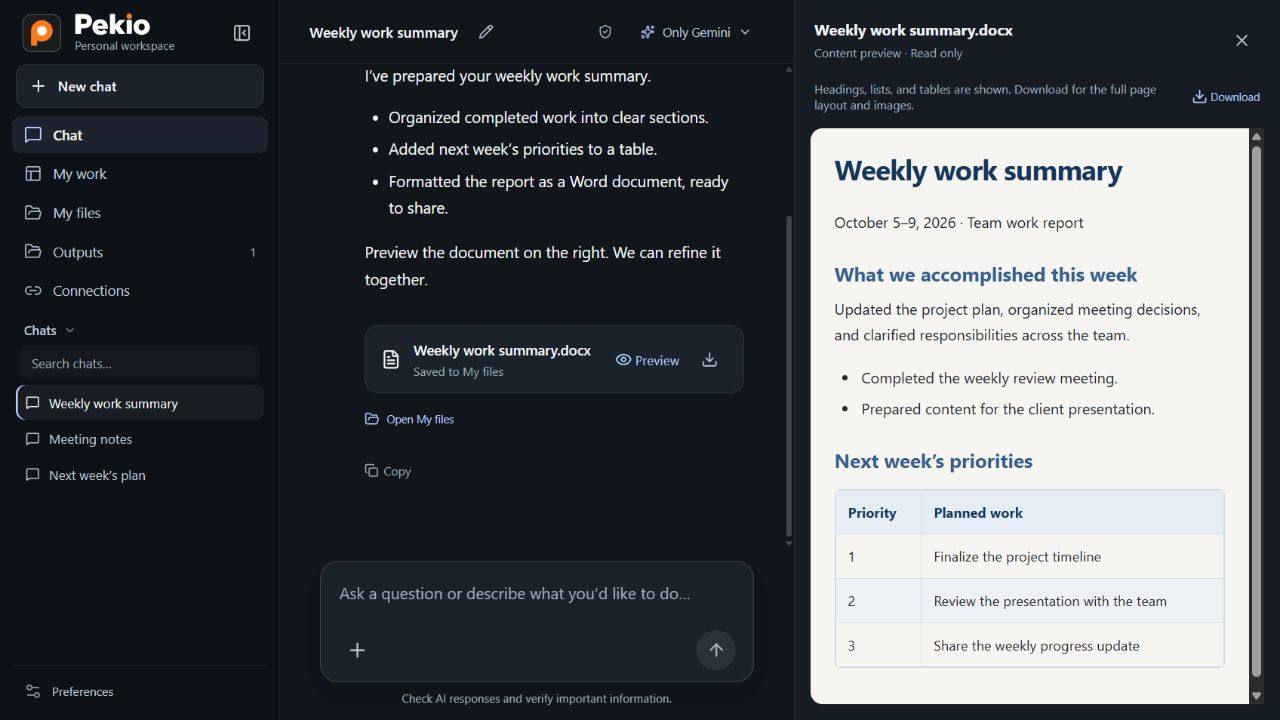
Bring notes and documents together. Summarise the key points, decisions and next steps.

 by LubaWorks
Work with your documents, spreadsheets and emails. Turn repeat tasks into workflows you can use again.
The workspace opens soon. The link currently leads to our Coming soon page.
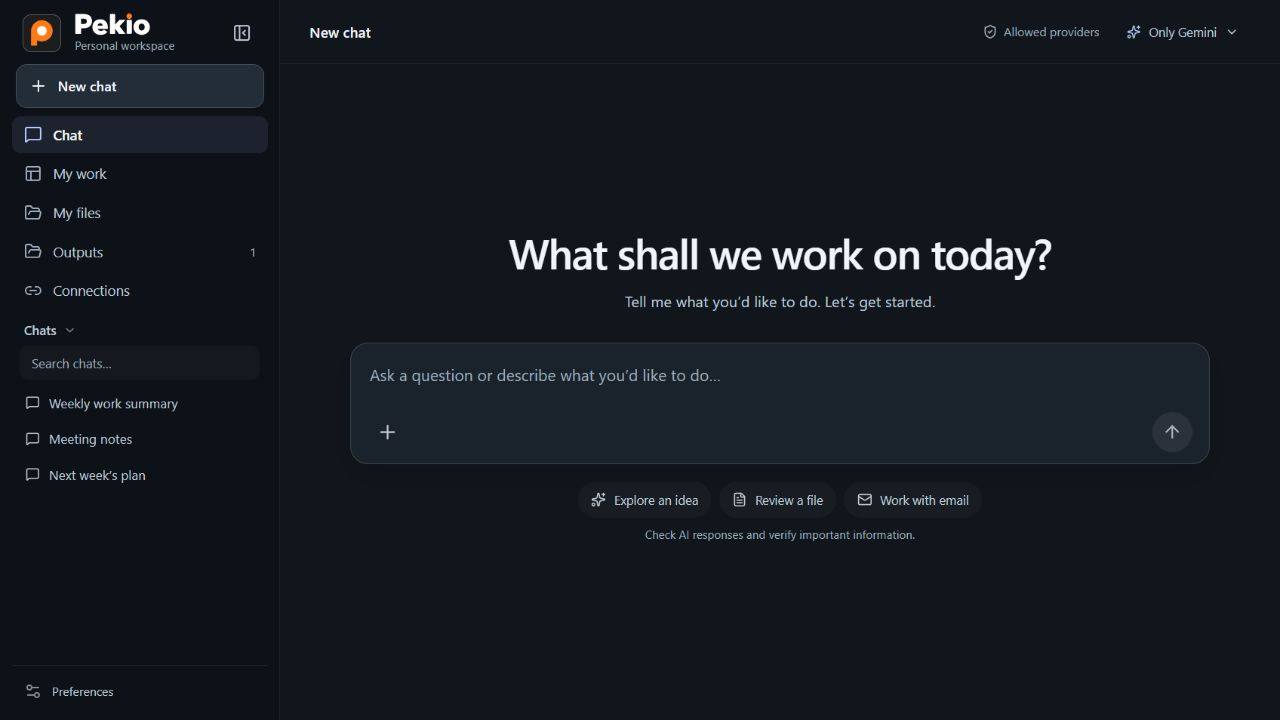
A question, an idea, or a task to finish.
Start by telling Pekio.
A document, an email, or a reusable workflow. Follow the menus, the steps and the result.
Tap the image to pause or resume.
Real Pekio interface with sample data and translated demo screens. Sending and saving are simulated. Choose a step to explore. Tap the image to pause or resume.
Real Pekio interface with sample data and translated demo screens. Sending and saving are simulated. Choose a step to explore. Tap the image to pause or resume.
Ask a question, develop an idea, or start working with your files. You don’t need to create a project to chat.
Bring notes and documents together. Summarise the key points, decisions and next steps.
Explore Excel data, draw comparisons and prepare a results file you can keep working with.
Summarise the conversation, draft a reply and create a follow-up list. You have the final say before sending.
Turn a task you build in chat into a reusable workflow, with its steps and permissions reviewed. Run it again with a trigger when needed.
Choose a connection that fits your work and data preferences. Pekio brings supported models into the same workspace.
When the model and relevant processing steps stay within your organisation, you can work without sending that content to an external AI provider.
You don’t need to have an API key to discuss your options with us.
The browser is the primary way to use Pekio. Public access, pricing and a launch date have not been announced.
Individuals and teams who want to describe work in natural language, develop ideas, or work with documents, spreadsheets and email. It isn’t limited to one profession or department.
Connection options include supported provider APIs and compatible model APIs on your organisation’s servers. Compatibility depends on the model’s protocol and the capabilities you need.
When the model and relevant processing steps remain internal, content may be processed without being sent to an external AI provider. External models, email and other service connections must be assessed separately. This is not an unconditional guarantee for the entire system.
The Pekio workspace is not open yet. Open workspace currently takes you to the Coming soon page at work.pekio.app. Contact LubaWorks to discuss your needs.
No. The browser is the primary way to use Pekio. The planned Windows application will add local computer access and automation capabilities.
Let’s explore connection options for you or your team.